Features
Live courts
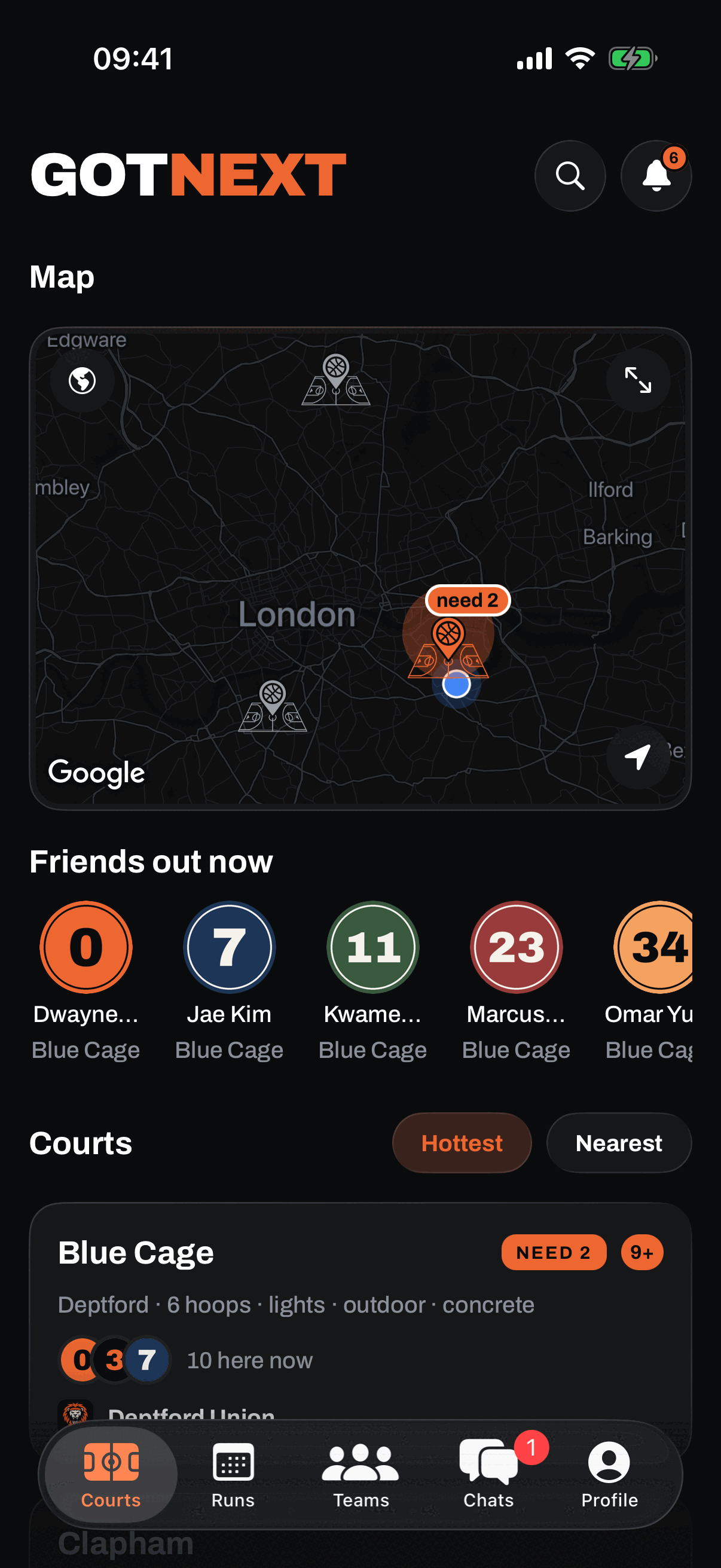
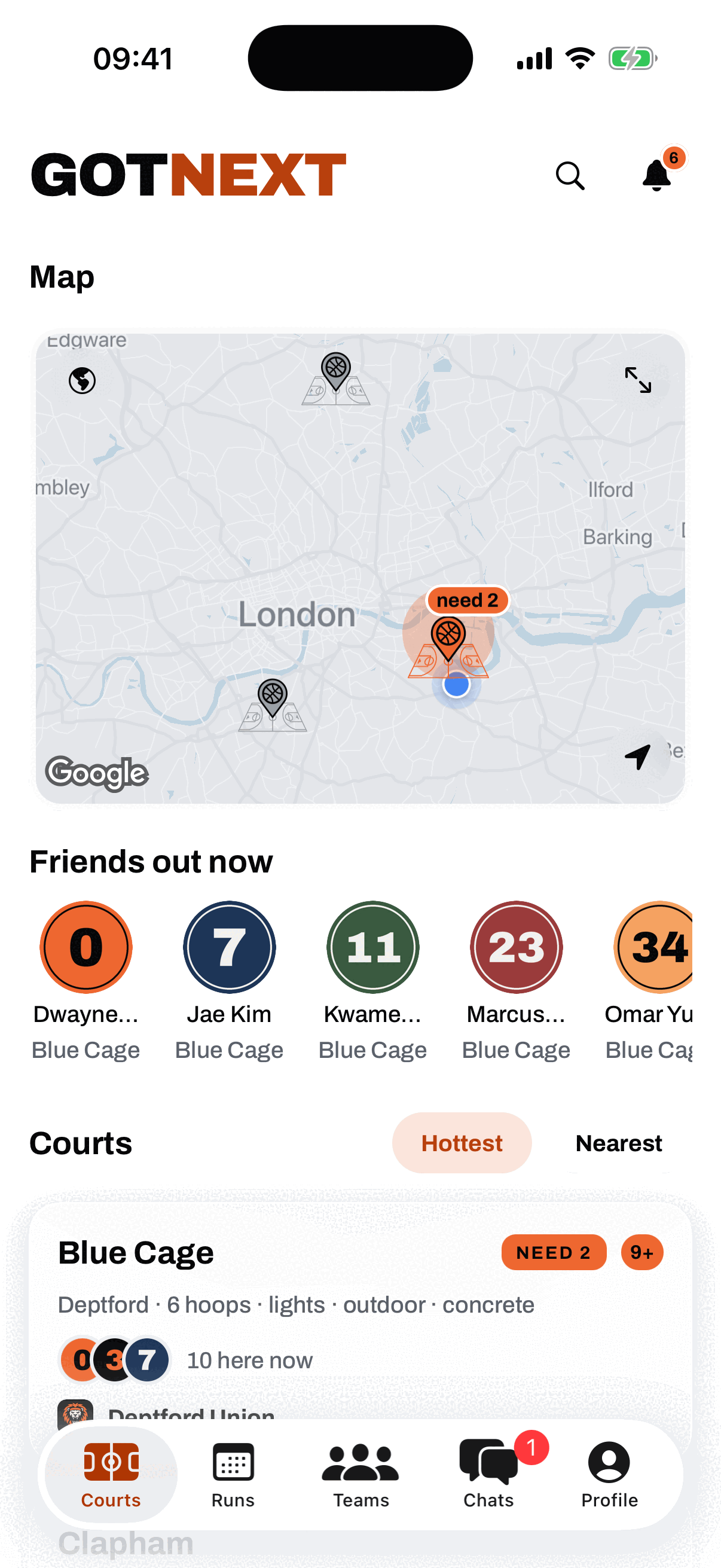
The map glows where the hoopers are
Every court on the map is a pin that glows with its live count: the halo grows as the court fills, so a packed cage reads as packed from across the city. The courts list ranks the same courts hottest first, or nearest when you just want the closest hoop. The counts come from real check-ins, never estimates.
Check in with two taps
Tap Here now when you arrive, or On my way with the time you are turning up. Here now is location checked on the server: you have to actually be at the court for it to count, which is exactly why the live counts are worth trusting. Once you are in you can switch your status to Shooting around, Want a run, or Game going, and if your run is short you can put the number you need on the court page so people know to slide through.
Say you are on your way and the app finishes the job for you: when you actually get to the court it flips you to here now by itself, so you show up in the right list without digging your phone out mid warm-up. It only ever moves you forward, and only if you already said you were coming.
Who is here, who is coming
The court page lists everyone checked in with their status, and everyone on the way with the time they said. Saying on my way is a commitment: turn up and your reliability rep climbs, ghost and it does not, and the court quietly stops showing you as coming once your stated time is well past. You can also set how long you are staying, so people see not just who is here but who will still be here in half an hour. Presence that goes quiet stops being counted, so a court never looks alive off people who went home hours ago.
Short of players? Say so, and get an answer
Putting "need 2 for a full court" on the board used to be a shout with nobody able to shout back. Now anyone looking at that court can tap I'm in and ask for one of those spots. You get a notification, you see who it is, and you let them in or pass. Let someone in and the count drops by one in front of everybody, so the board stays honest as the run fills. Hit zero and the ask closes itself and anyone still waiting is told the spots are gone.
You have to be checked in at the court to ask, because a spot claim from someone who is not coming is just noise. Nobody is left hanging either: if you clear the ask, head home, or your check-in goes quiet, everyone waiting on you is told straight away.
Busy by time
Each court builds an hourly picture of when it actually runs, from 6am to 11pm, out of its real visit history. The busiest hour is highlighted, and when that hour is now the header says Peak now. It only appears once a court has enough history to mean something, so it never shows you a guess.
Court facts and getting there
Every court page carries the facts that decide whether you bring a ball and a jacket: how many hoops, lights or no lights, indoor or outdoor, and the surface. Only what we actually know is shown, nothing is invented. Below that sits the address, one tap to copy, and a Directions button that hands you straight to Apple Maps or Google Maps. The app remembers which one you picked, a long press lets you switch, and the route distance comes from your maps app because a straight line number would be a lie.
See what a court actually looks like
Every court has a gallery, and any hooper can add to it while they are standing there. Six photos each, forty a court. You can delete your own at any time. Photos are camera only, so what you see is the court as somebody found it, not a picture pulled off the internet.
They sit one tap off the court page rather than across the top of it. A court page you cannot trust is worse than a plain one, and a single bad picture should never be able to ruin the spot. The head of the page stays the court's own colour, which is ours and looks the same on three courts or three hundred.
Your courts, and the courts we do not have yet
Heart a court to save it to your courts, so your regular spots are always one tap away.
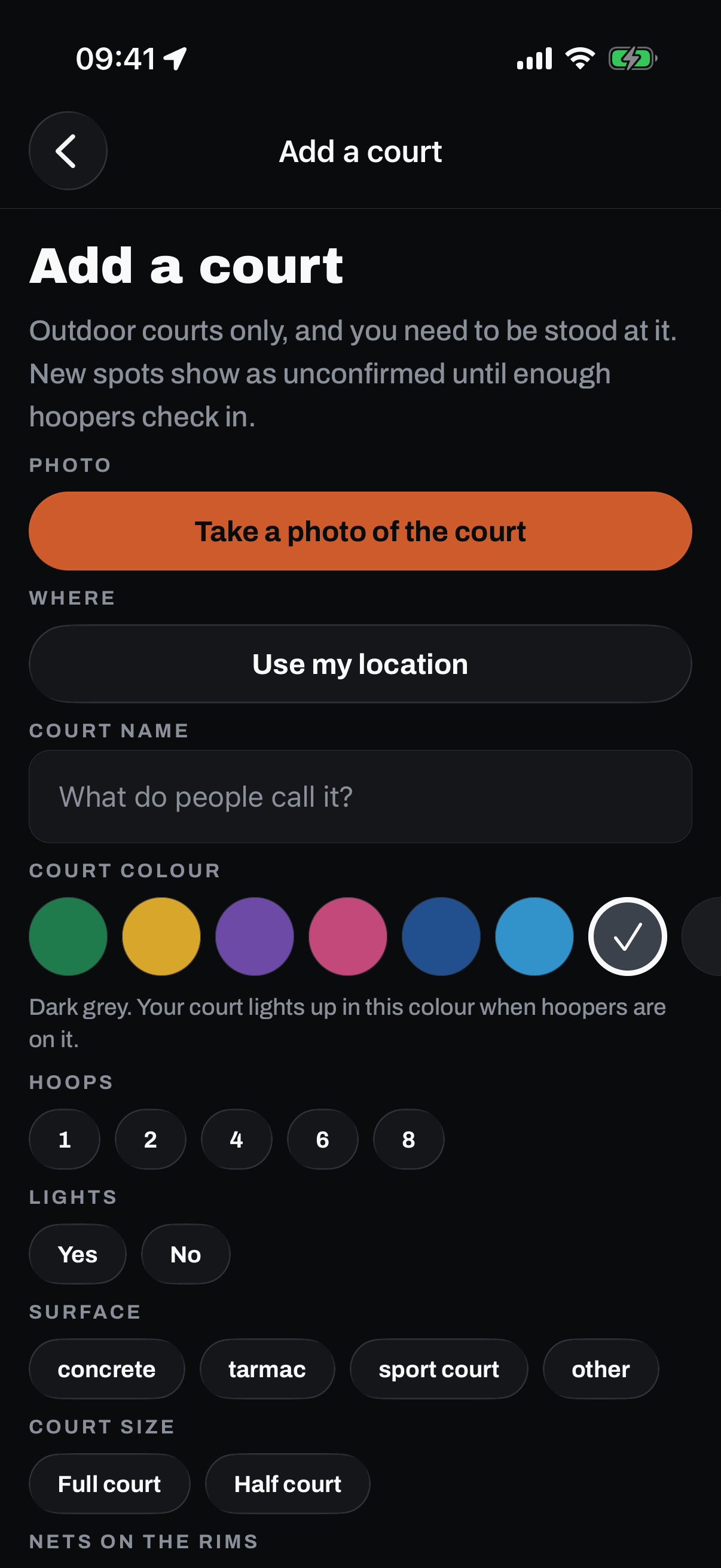
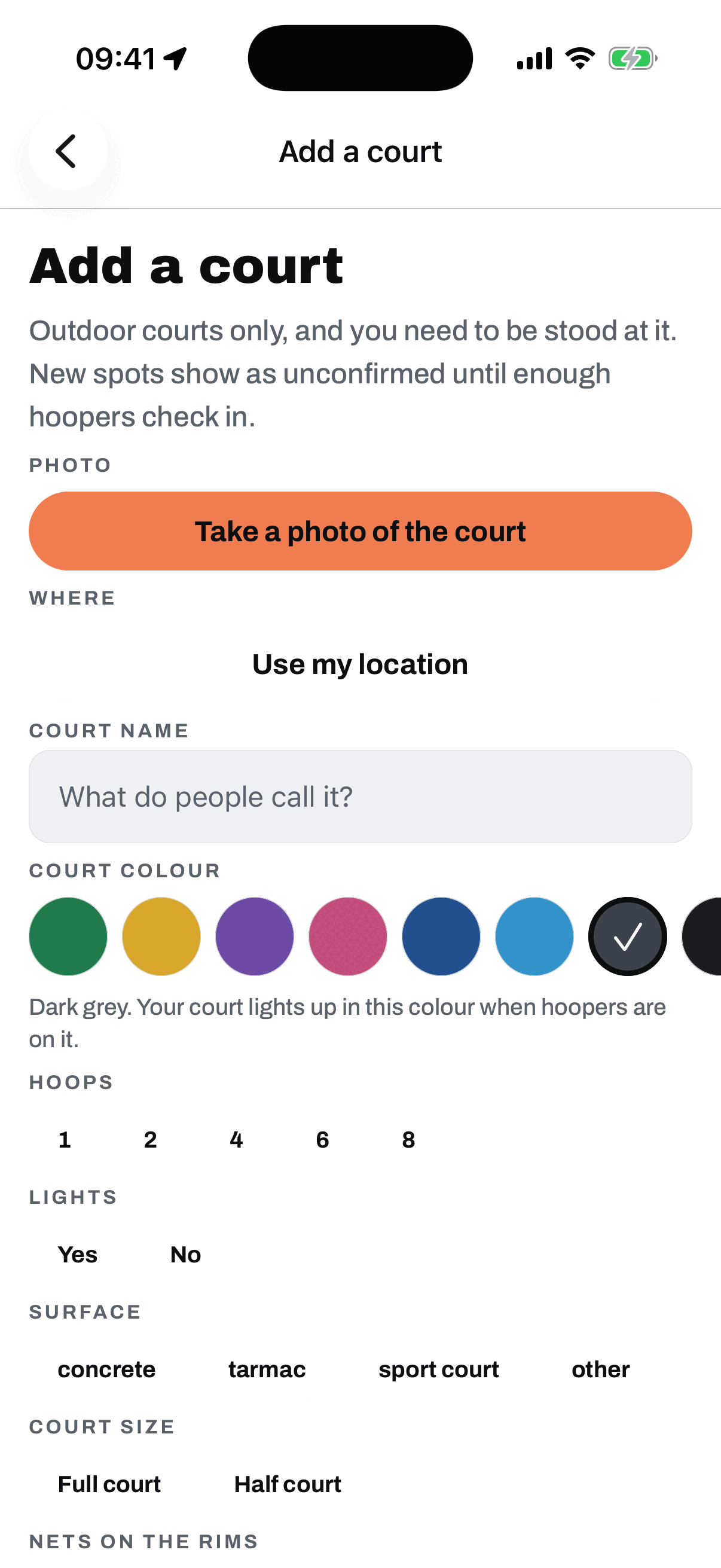
If the court you run at is not on the map, put it there yourself. Stand at it, take a photo, answer what other hoopers need to know (how many hoops, the surface, lights, nets, full court or half) and it goes up. Two rules keep the map worth trusting: you have to actually be at the court, checked against your phone's position, and it has to be outdoors and free for anyone to walk onto. We do not list gated, members only or pay to play spots.
A court you add goes up as unconfirmed and cannot host runs, challenges or court holding yet. It becomes a real spot once other hoopers have checked in there, which is the whole test: a court is real when people turn up to it. If nobody does within a month, it comes off the map and we tell you. You can fix the details yourself while it is still unconfirmed.
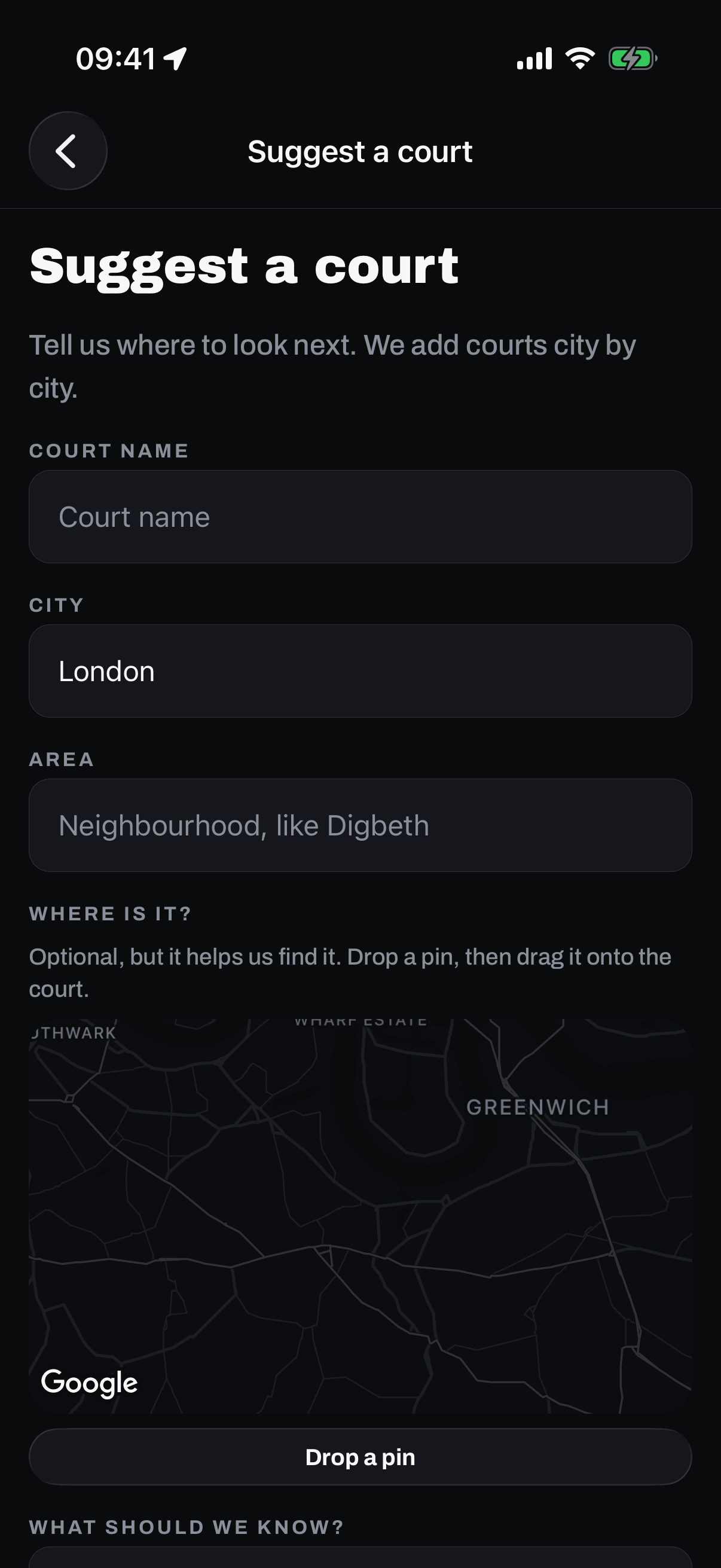
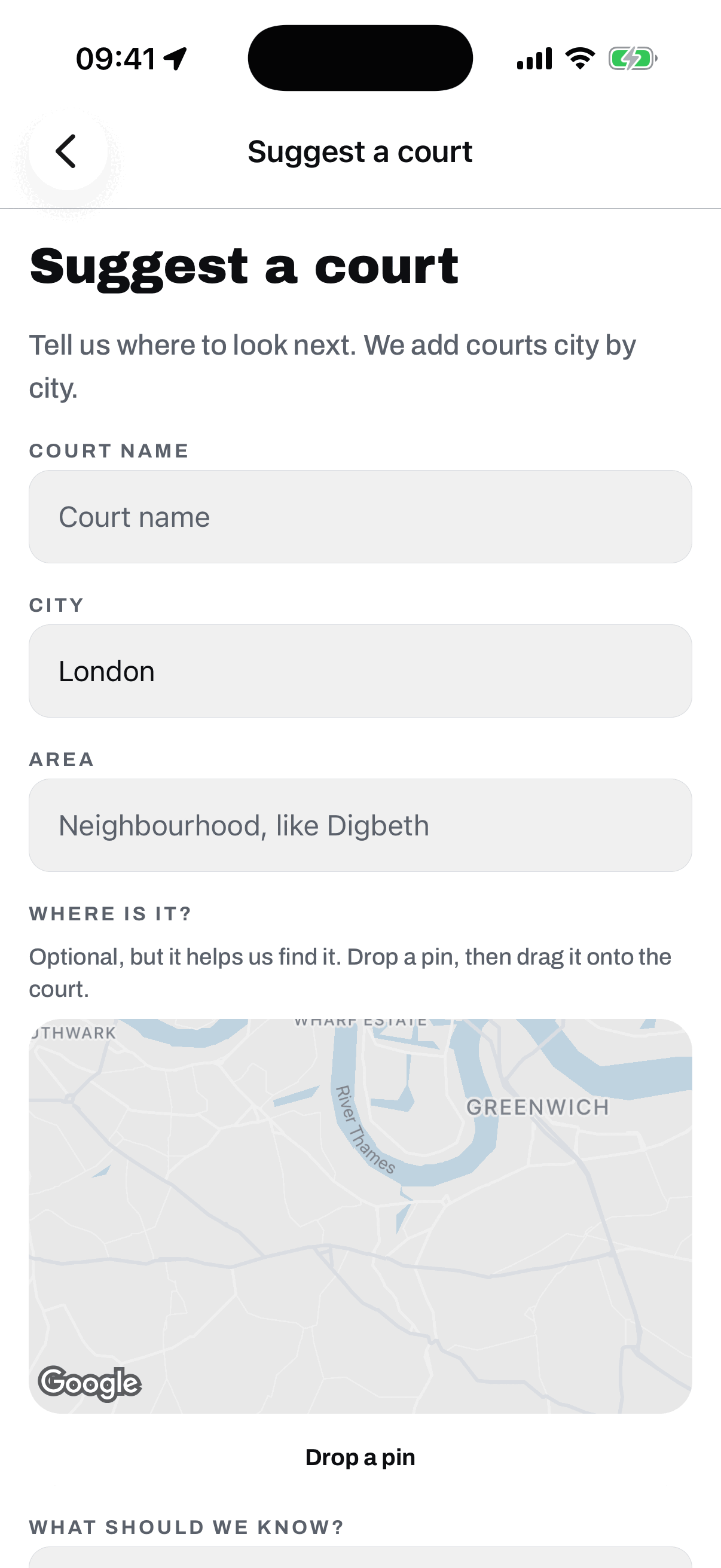
Not standing at it, or your city has no courts yet? Suggest a court from inside the app with its name, area, and city. Once you have suggested one you join your city's waitlist and see how many hoopers are waiting there with you. That list is how the next city gets picked, so putting your court in is not a shout into the void.
Try it yourself.
GotNext is live on the App Store now, free. On Android, testing is open and invites go out in batches.
On Android? Become a founding tester
iPhone hoopers can download GotNext today. Android testers get Play invites in batches.